

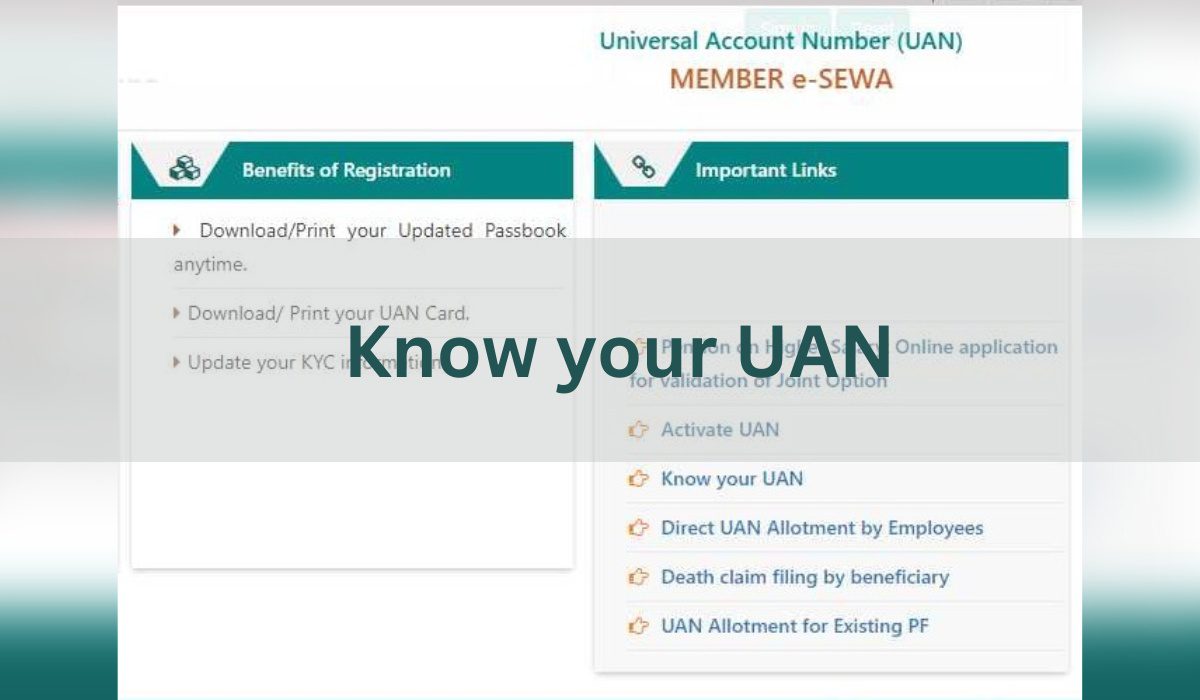
If you’ve forgotten your Universal Account Number (UAN), you may be unable to check your Provident Fund (PF) balance, update account details, or make a withdrawal when required. Fortunately, retrieving it is a simple process that takes just a few steps.
This guide will walk you through what a UAN number is, how to retrieve it, and how to resolve common issues that may arise during the process.
What Is a UAN Number?
Your UAN is a unique 12-digit number issued by the Employees’ Provident Fund Organisation (EPFO). It acts as a master identifier linking all your Provident Fund (PF) accounts held across different employers. Instead of managing multiple Member IDs, your UAN consolidates them under a single umbrella. This ensures that even if you change jobs, your PF contributions remain connected to the same UAN.
Why Is UAN Crucial?
You might wonder why this number is so important. Here are a few key reasons:
- Your UAN allows you to log in to the EPFO Member e-Sewa portal and check your PF balance online.
- It enables you to transfer or withdraw your PF when eligible.
- Employers use your UAN to deposit monthly contributions and complete KYC formalities.
- Without access to your UAN, you could face delays when claiming or consolidating your PF balance.
Keeping your UAN accessible ensures you have full control over your PF account, reducing dependency on paperwork or your employer.
What Are the Features of UAN?
Your Universal Account Number offers several important features that simplify the management of your PF account:
- Single Identifier: All your past and current PF Member IDs are linked to a single UAN, making it easier to track and manage your retirement savings.
- Portability: When you change jobs, your PF account remains connected to the same UAN, ensuring seamless transfer of funds between employers.
- Online Access: Through the EPFO Member e-Sewa portal, you can view your PF passbook, track contributions, update KYC details, and manage your account online.
- Transparency: UAN-based tracking allows you to verify whether your employer is depositing monthly PF contributions on time.
How to Find Your UAN Number Online
If you’ve forgotten your UAN number, there are several reliable ways to retrieve it.
1. Ask Your Employer
The simplest option is to contact your HR or payroll department. Many employers include the UAN on your salary slip or appointment letter. If you still have these documents, look for terms such as “UAN” or “Universal Account Number”.
2. Get It From the EPFO Website
You can also retrieve your UAN directly from the EPFO website by following these steps:
- Go to the official EPFO website: www.epfindia.gov.in and choose Services → For Employees.
- Click on Member UAN/Online Service, then select Know Your UAN.
- Enter your mobile number (must be the one registered with EPFO) and the captcha code. Request the OTP.
- Once you receive the OTP, enter it and proceed. You’ll then need to input your name, date of birth, and one of: Aadhaar, PAN, or Member ID.
- If the details match EPFO’s records, your UAN will be displayed on screen and usually sent via SMS.
- Save your UAN. Note it down or take a screenshot for future reference.
3. Find It on the UMANG App
You can also find your UAN through the UMANG (Unified Mobile Application for New-age Governance) app, available for both Android and iOS devices:
- Install and open the UMANG app, then register using your mobile number.
- Select EPFO services and then “Know Your UAN”.
- Enter the required details and OTP. Your UAN will be shown.
The UMANG app offers a quick and convenient way to retrieve your UAN, especially if you prefer mobile access.
Common Issues When Retrieving Your UAN & How to Fix Them
While retrieving your Universal Account Number (UAN) is usually straightforward, you may encounter a few common issues:
- Incorrect Personal Details: If your name, date of birth, or ID numbers (PAN, Aadhaar, or Member ID) don’t exactly match EPFO records, the system may not display your UAN. In such cases, contact your employer or raise a correction request through the EPFO portal.
- Unregistered or Changed Mobile Number: The OTP will only be sent to the mobile number registered with EPFO. If you’ve changed your number, you’ll need to update it through your employer or by submitting a request at the nearest EPFO office.
- Inactive UAN or Multiple UANs: Sometimes, employees may have more than one UAN due to job changes. You can request EPFO to merge them by submitting a transfer claim or using the “UAN Helpdesk” feature.
- Technical Glitches: The EPFO website or UMANG app may occasionally experience downtime. Try again later or use an alternate method, such as checking with your employer.
Conclusion
Forgetting your UAN does not mean losing access to your Provident Fund account. In just a few minutes, whether through your salary slip, employer, or the EPFO website or app, you can easily recover it.
Now that you know what the UAN number is, why it matters, and how to retrieve it, make sure to store it securely to avoid future inconvenience. With these simple steps, you can stay in control of your PF account and access your savings whenever you need them.
However, if you ever face a pressing financial requirement, it’s often more prudent to explore a personal loan rather than withdrawing your PF prematurely. This helps your retirement corpus continue to grow while still giving you timely access to funds. Comparing lenders and choosing one that offers a competitive personal loan interest rate and flexible repayment terms can make short-term borrowing more manageable and cost-effective.
*This article is for informational purposes only. Readers are advised to verify the latest updates and guidelines with their employer or through the official EPFO portal.
